Features

Every layer, in one hand.

Voice, coordination, the live map, navigation, streaming and SOS — the full picture of what Terraxi Pro does, and how a team runs on it.

Voice & PTT

Hold to talk. The whole channel hears you.

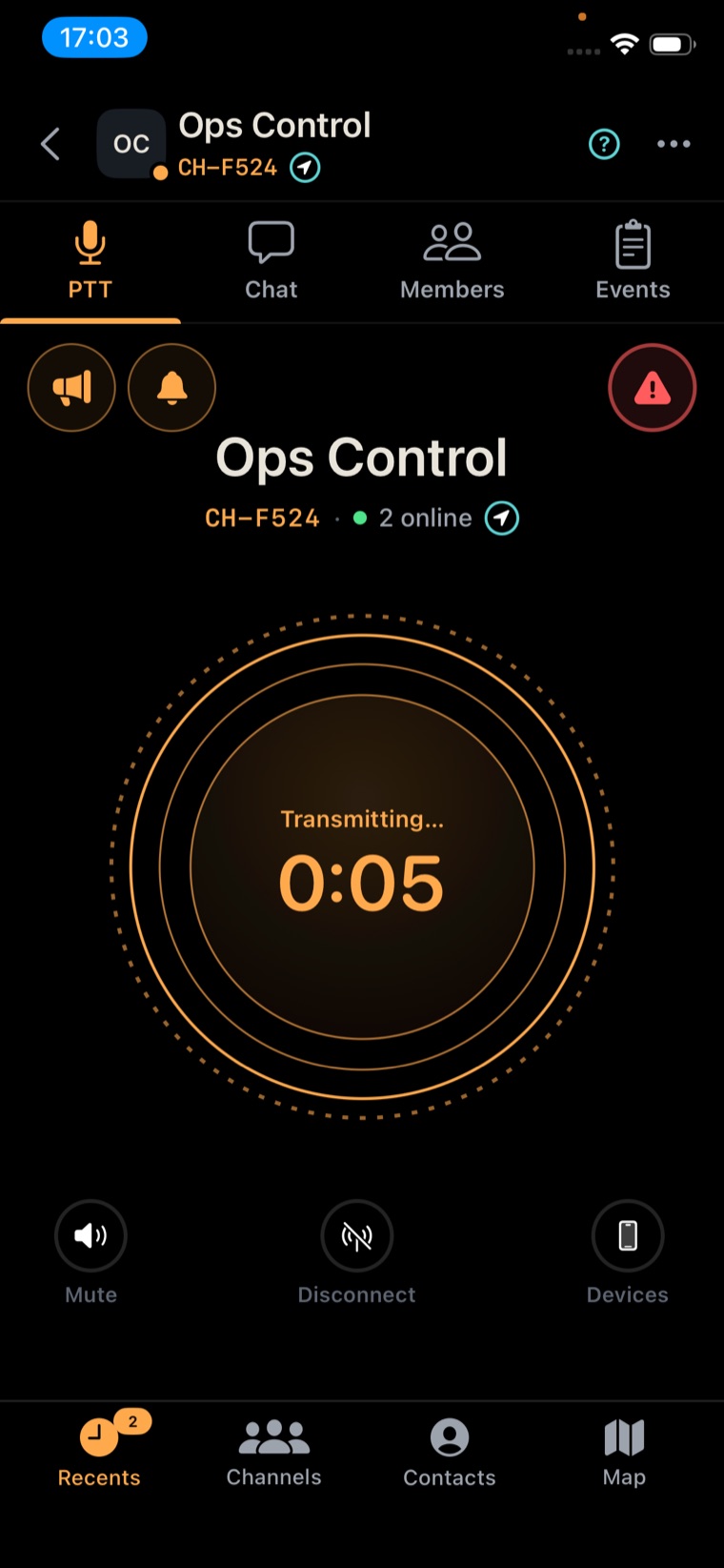
Push-to-talk the way radio should work — instant, hands-free, impossible to miss. See who's on the channel, who's transmitting, and reach exactly who you mean.

  • Multi-channel
    Monitor every channel you're on at once and key up on the one that matters.
  • Hold or lock
    Press and hold, or double-tap to lock the mic open when your hands are full.
  • Priority
    Priority voice cuts through lower-priority chatter, so the call that matters lands first.
  • Mute
    Mute a channel or a contact to quiet the noise without leaving the net.
  • Direct & broadcast
    Talk one-to-one, or hit broadcast to reach every channel at once.
  • Off the screen
    Lock-screen PTT, Bluetooth button support, and voice messages waiting when you missed it live.
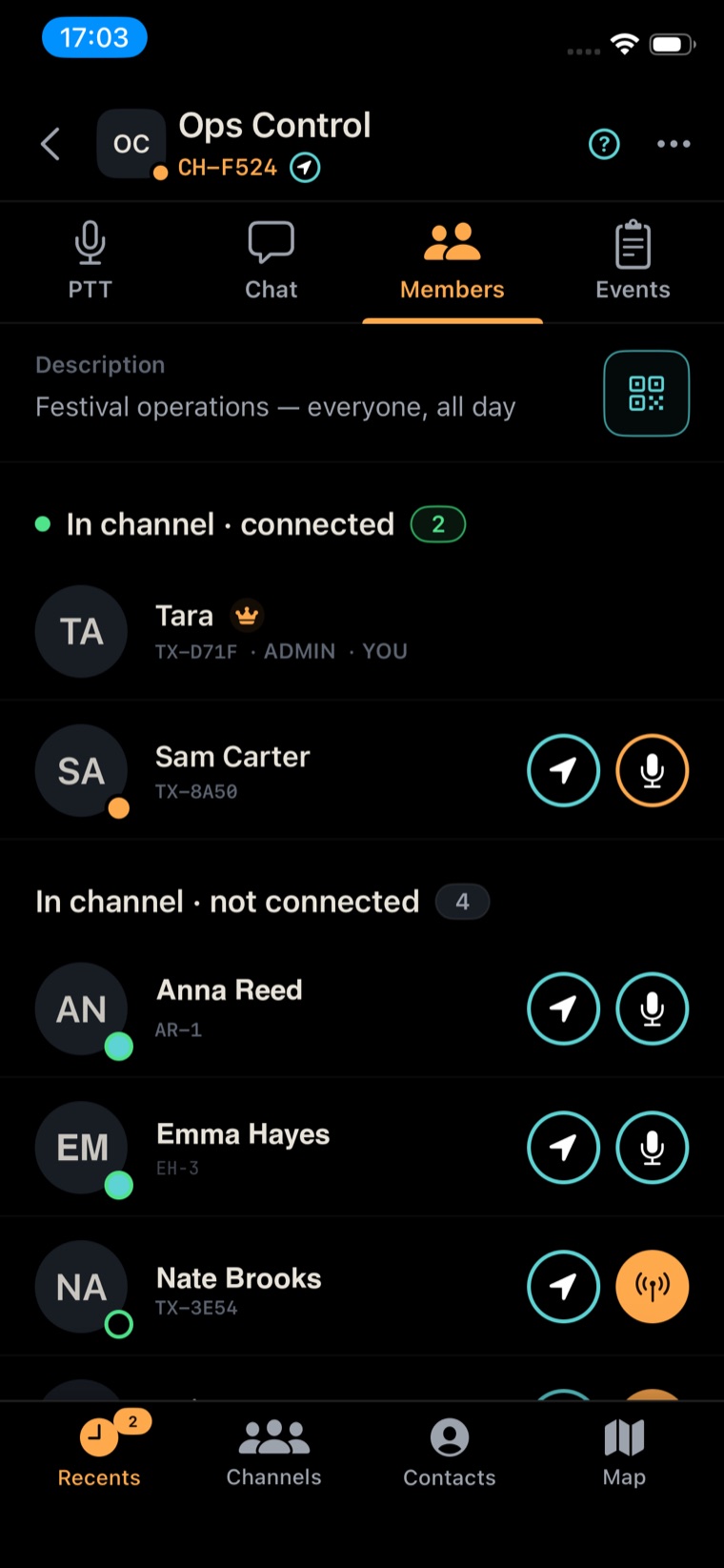
Channel roster showing members, roles, presence and who is transmitting
Push-to-talk call screen with a large transmit button, broadcast and SOS
For coordinators

Run the whole net from one screen.

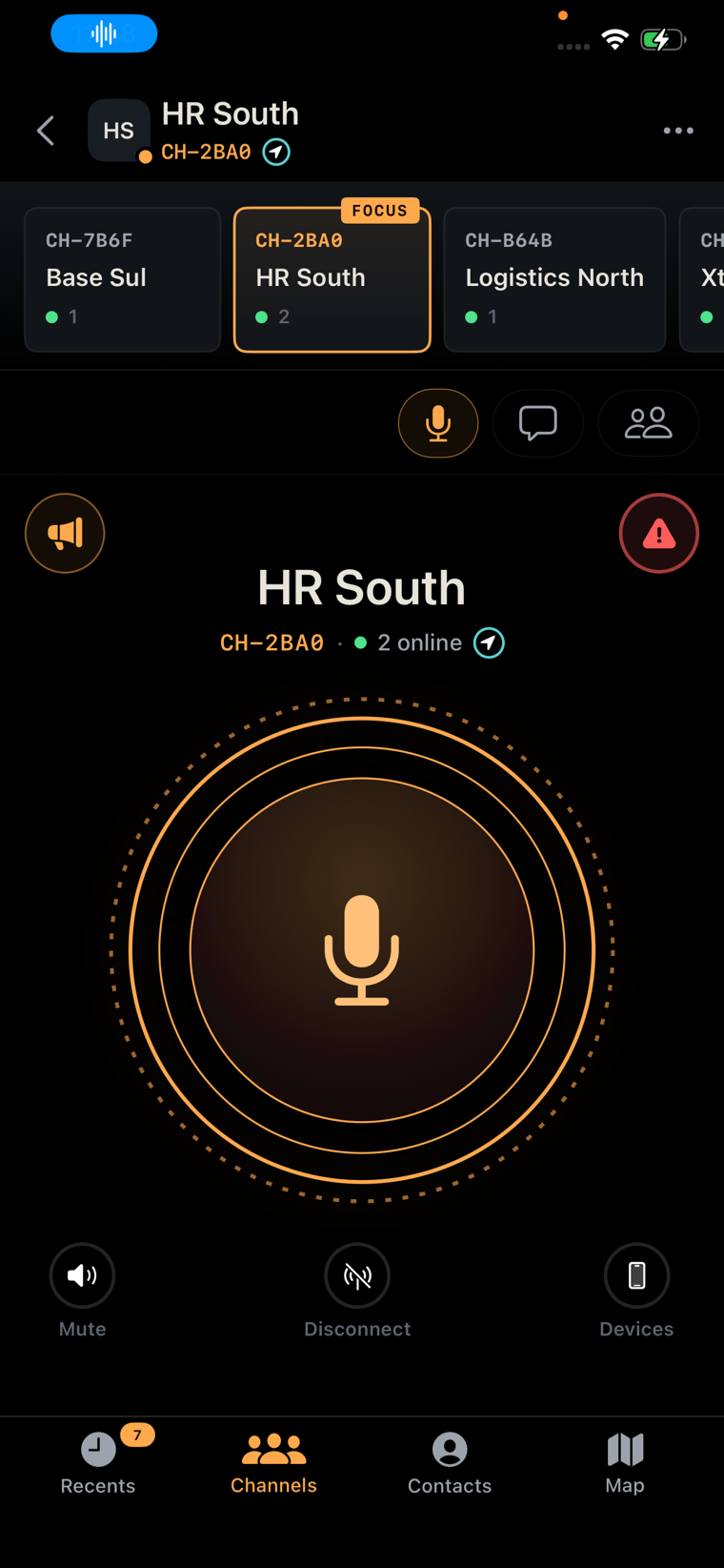
Dispatchers and team leads live across many channels at once. Terraxi keeps them all in reach — focus the one that's hot without losing sight of the rest.

  • Focus mode
    Lock onto the active channel while you keep monitoring every other one you're in.
  • Quick channel selector
    Swipe across your channels from the talk screen and switch without digging through menus.
  • Live head-count
    See how many are online in each channel at a glance, before you key up.
  • Jump to transmit
    Tap a channel and you're keyed up on it — no reconnecting, no lag.
Talk screen with a quick channel selector across the top and one channel in focus
Live map

Everyone, and everything, on one live map.

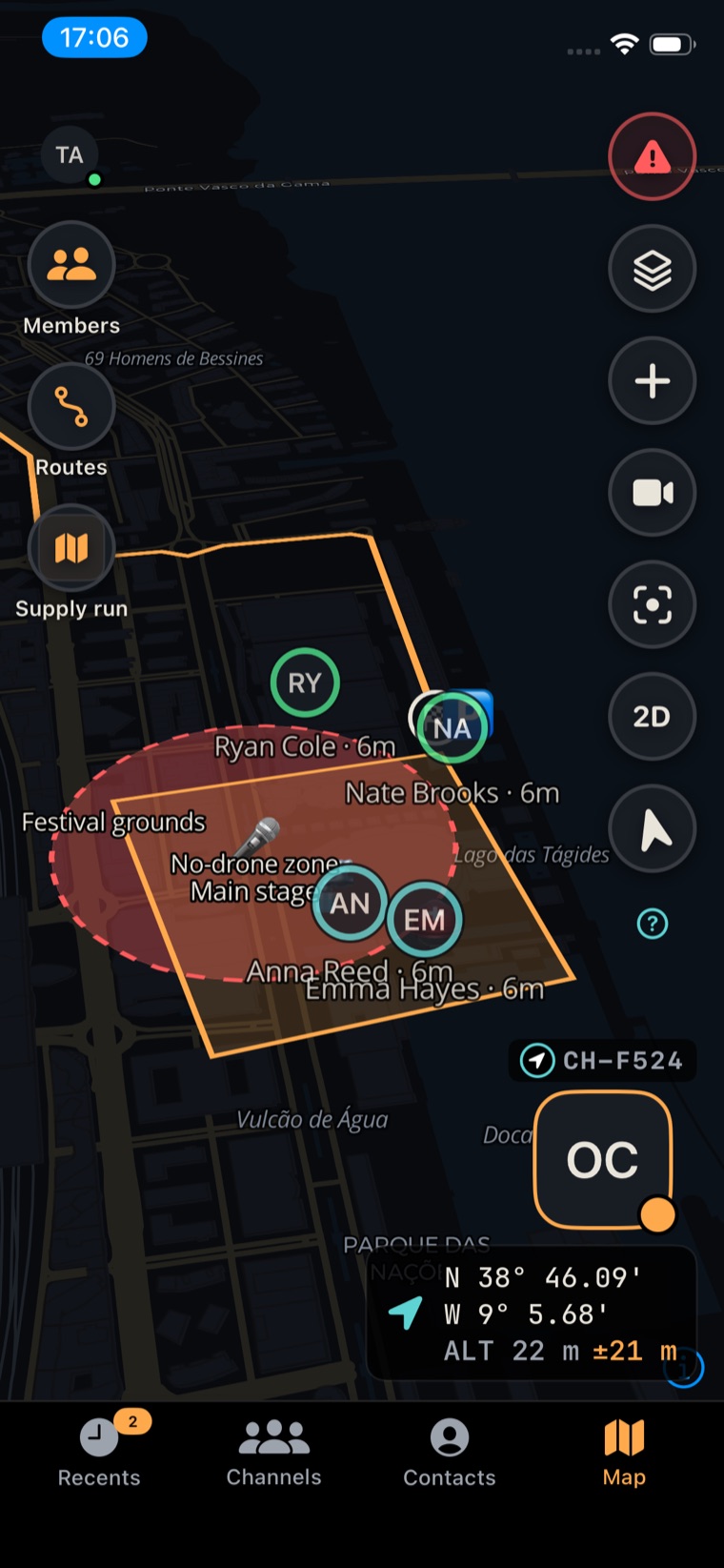
See where every teammate is in real time, drop the markers that matter, and keep the whole group reading from one shared picture of the ground.

  • Live positions
    Teammates on the map with presence at a glance — online, busy, standby, offline.
  • Pins & shapes
    Markers, hazards, areas and zones — shared with the channel the instant you place them.
  • 2D / 3D terrain
    Flat map, full terrain, or satellite imagery — whichever reads faster in the moment.
  • Layers
    Switch base maps and overlays to match the ground you're working.
3D terrain map with team pins, hazard markers and routes
Route builder

Build the route. Mark every hazard.

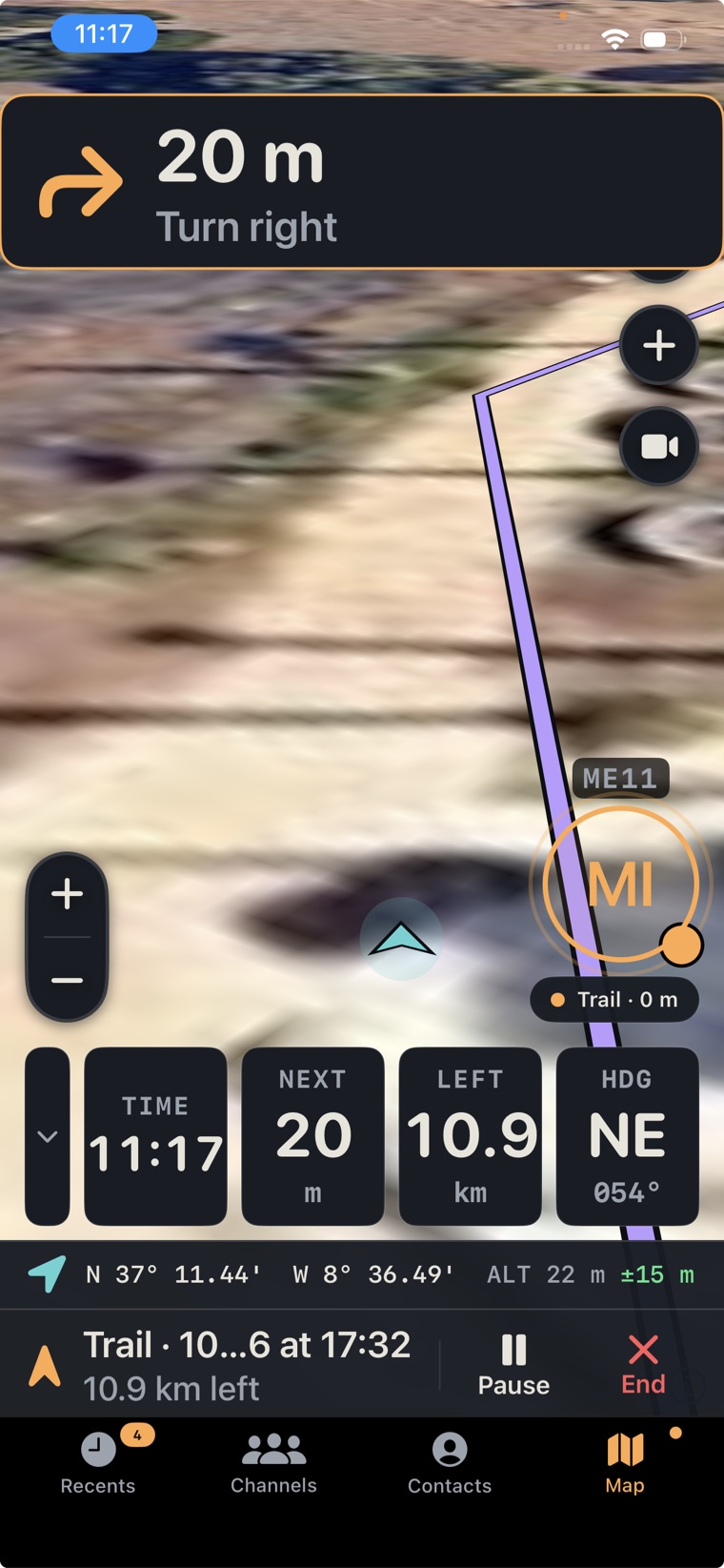
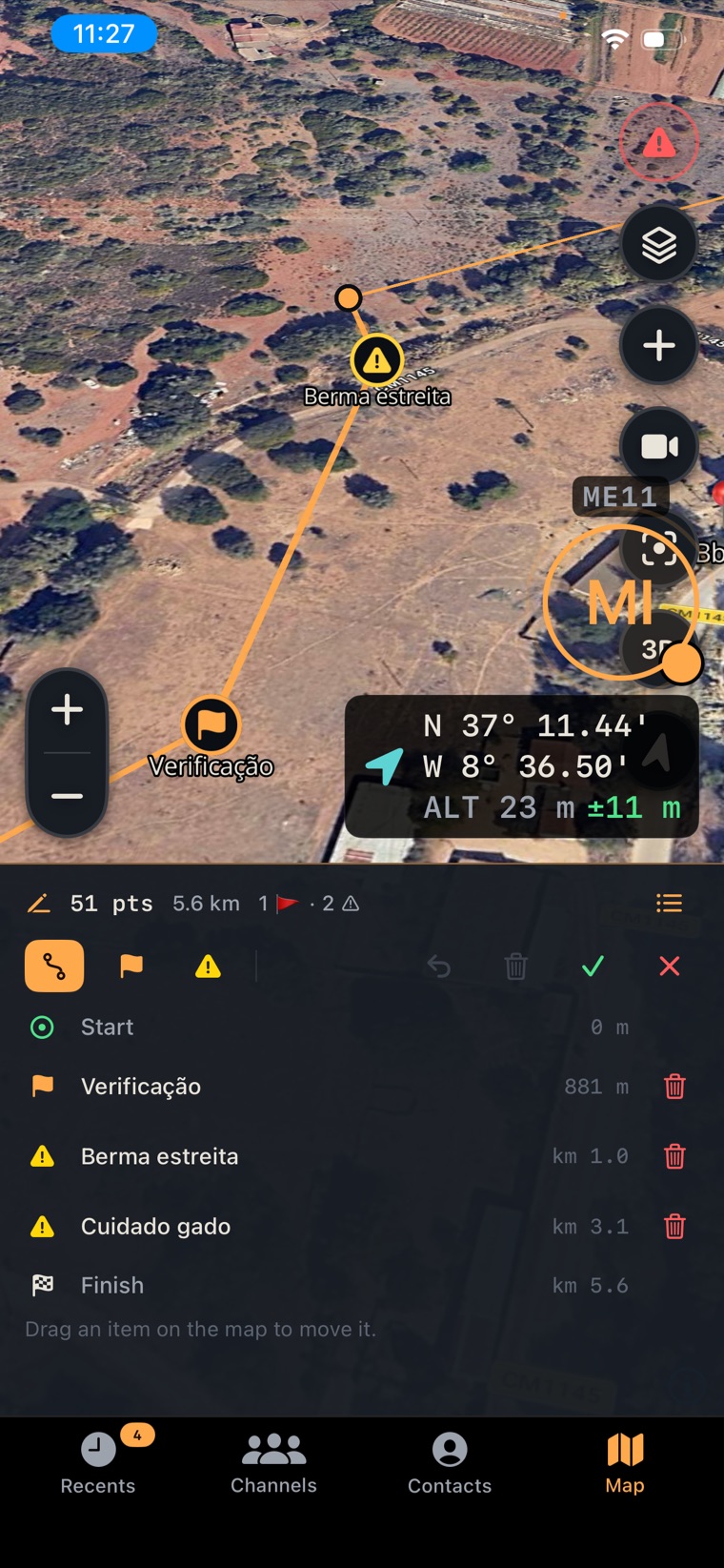
Lay down a route point by point, drop the warnings your team needs to see, and reshape it by dragging on the map. Then share it — hazards and all.

  • Multi-point routes
    Build detailed routes from dozens of points, with live distance and point count as you draw.
  • Waypoints, flags & warnings
    Drop checkpoints, flags and hazard warnings along the line — each with its own distance mark.
  • Drag to edit
    Move any point on the map, reorder the list, or delete what you don't need.
  • Shared warnings
    Everyone navigating the route gets alerted at the hazards you marked.
Route editor with 51 points, waypoints, hazard warnings and an editable list
Transportation

Route for how you actually travel.

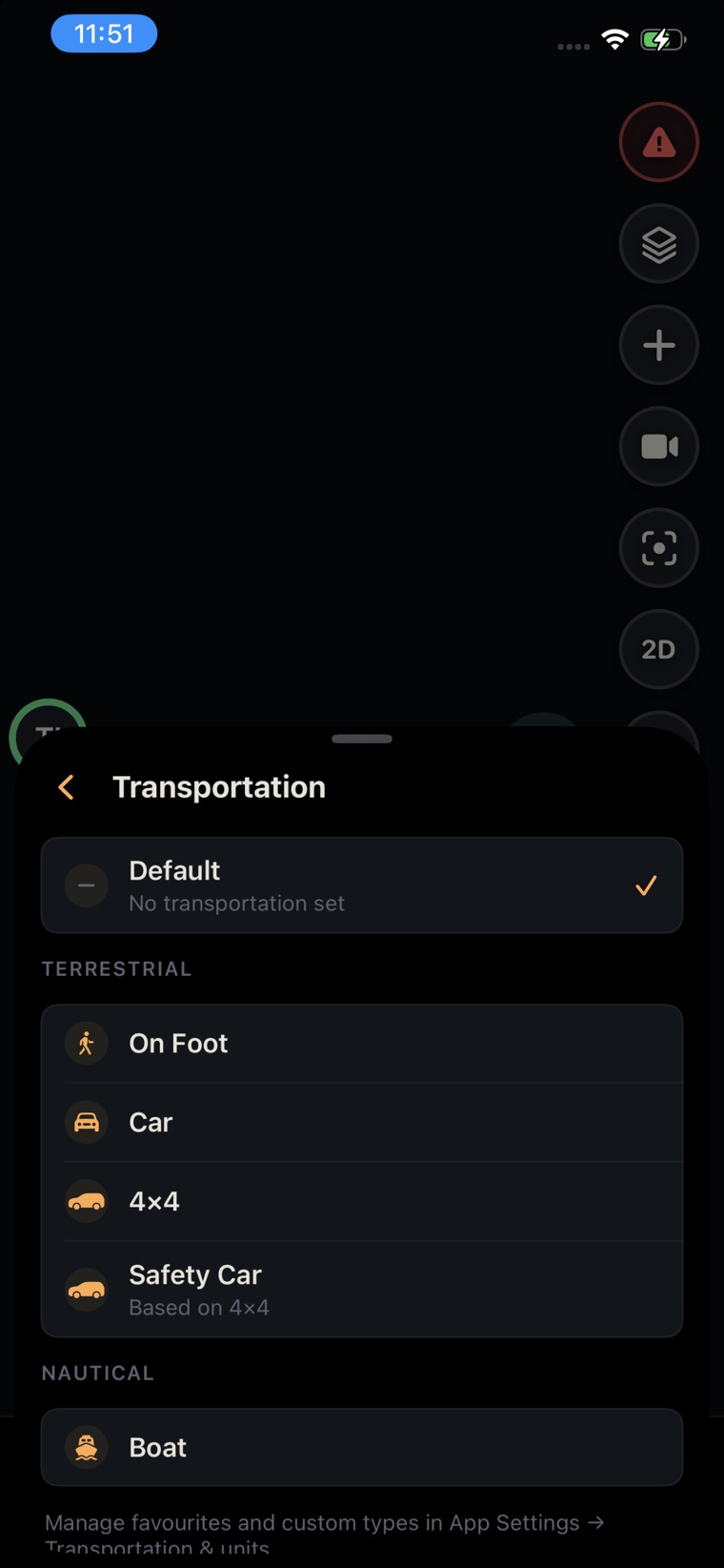
Pick a transportation mode and routing, distances and units follow it — on foot, by 4×4, by boat, or a vehicle you define yourself.

  • Ready-made modes
    On Foot, Car, 4×4, Safety Car, Boat and more, ready to pick in a tap.
  • Land, sea & air
    Modes grouped as terrestrial, nautical and aerial, so the app fits the terrain.
  • Custom vehicles
    Build your own terrestrial, nautical or aerial vehicles and save them as favourites.
  • Units follow
    Nautical picks knots and nautical miles; the readout matches the vehicle you chose.
Transportation picker grouped into terrestrial and nautical modes
Live video

One button, and you're live.

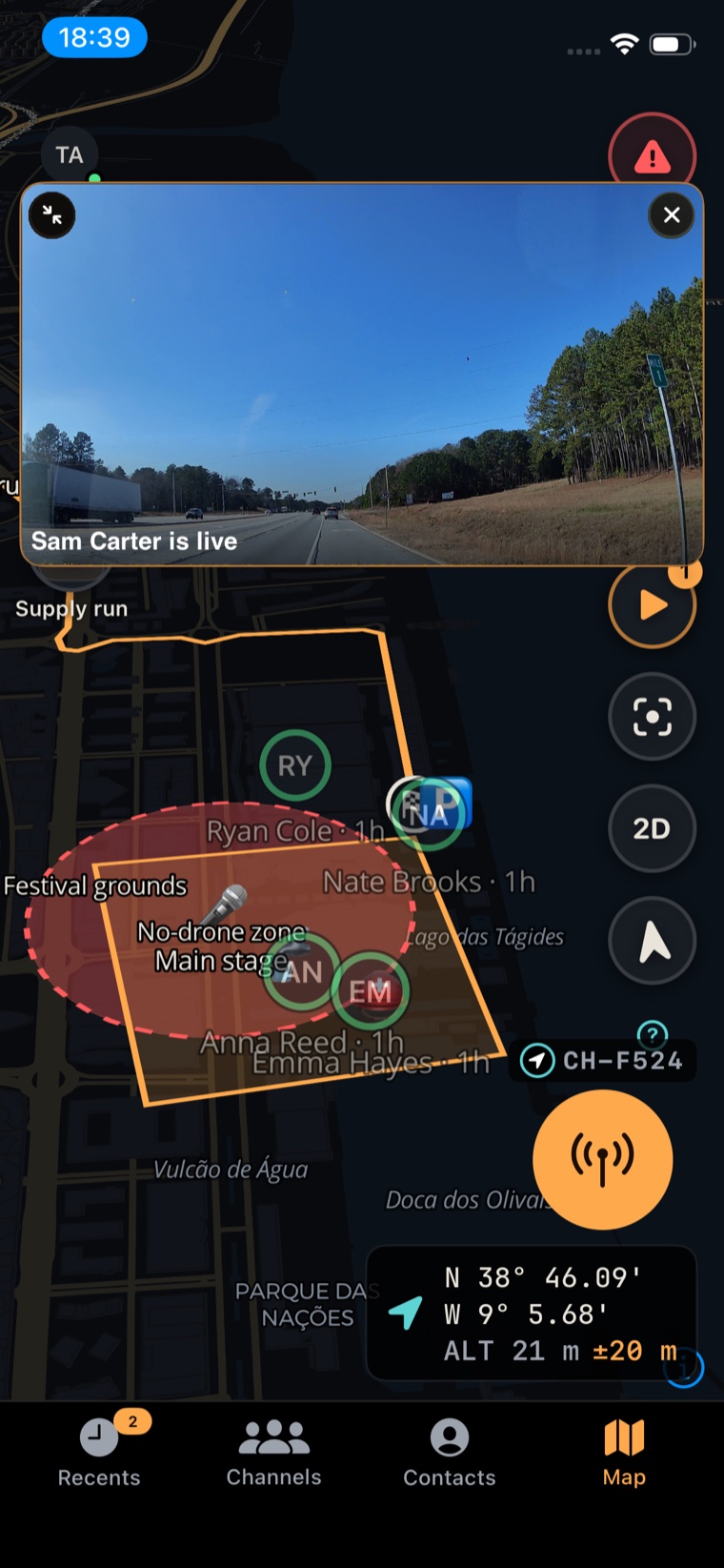
Stream from your camera straight into the channel so the team can read the situation instead of just hearing about it.

  • One-button stream
    On Android, a single button starts a live stream — no setup, no menus.
  • Pick your audience
    Stream to a channel, to several channels at once, or to specific contacts.
  • Straight from the map
    Start a stream with a tap while you're navigating, and it pins where it's happening.
  • Watch anywhere
    Full-screen, or a floating mini-player while you keep working.
Live map with a video stream pinned next to team markers and routes
Offline & resilience

Keeps working where the signal doesn't.

Terraxi is tuned for the places coverage gives out — download the ground ahead of time and keep the team connected with no internet at all.

Cache

Automatic map cache

Map tiles you've viewed are cached, so the ground you've seen stays available offline.

Areas

Offline areas

Download a whole region ahead of time and carry it in with no connection.

Corridors

Offline corridors

Download the map along a route or corridor, so a long transit stays covered end to end.

Edge server

Local edge server

Connect the team over Wi-Fi with no internet — voice, map and messages on your own local server.

Emergency

One button reaches everyone.

Hold the emergency button to arm it. After a short countdown, Terraxi broadcasts your exact location and opens your mic to the channel with priority alerts. On iPhone it breaks through silent mode and Do Not Disturb.

Hold to armLive locationPriority transmitBreaks through Do Not Disturb
Under the hood

The details that keep a team running.

Connectivity

Built for thin networks

Tuned for patchy coverage, not perfect Wi-Fi.

Offline

Local edge server

Connect team-to-team over Wi-Fi with no internet at all.

Identity

Callsigns

Short, clear IDs so you always know who's talking.

Onboarding

QR channel join

Scan a code and you're on the channel.

Control

Roles & presence

Admins, moderators, and online · busy · standby at a glance.

Hardware

Bluetooth PTT

Key up from a button on your chest or bars.

Audio

Clean capture

Noise suppression and echo cancellation on by default.

Devices

Multi-device

One account, signed in on a phone and a mounted screen.

Languages

Five and counting

English, Portuguese, Spanish, Italian, Arabic.

Platform

iOS & Android

The whole crew, whatever they carry.

Structure

Channels & direct

Team channels, sub-channels, and 1:1 voice or chat.

Trails

Location history

Record where the team has been, with stats.

Get on the channel

Put your team on Terraxi Pro.

Terraxi Pro is in open beta on iOS and Android — install it on TestFlight or grab the Android APK and start a channel today.

Direct .apk · you may need to allow installs from your browser